 New Delhi


Facebook Ads Manager vs Ad Center: Differences, Features & Uses
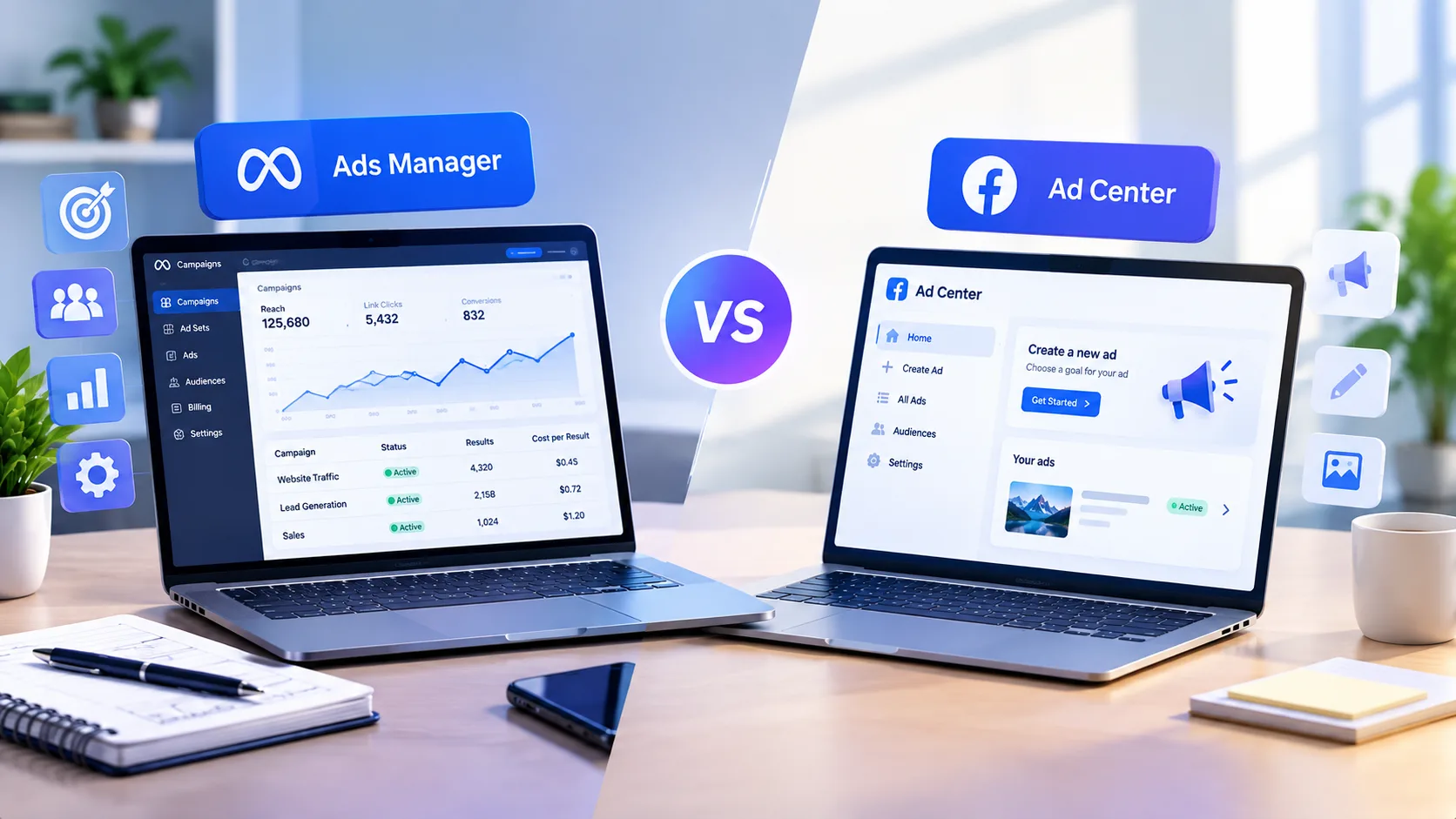
Even though Ad Center and Facebook Ads Manager are both marketing tools developed by Meta, they can be used based on the advertisers' requirements. For example, Ad Center is useful for simple ads, whereas Facebook Ads Manager enables the users to utilize the advanced options for managing their advertising campaigns in terms of audiences, budgets, placements, and tracking performance. Understanding the difference can be useful in selecting the right tool for the advertising campaign.
What Is Facebook Ads Manager?
Facebook Ads Manager is the advertising service offered by Meta, enabling advertisers to bring campaigns to life by letting them create, manage, track, and optimize advertising campaigns. The tool helps people achieve their advertising all while controlling their advertising objectives, target audience, budget, location or placement, advertisement resources, and measurements.
Companies advertising on Facebook can put it to use by creating campaigns that align with their business objectives rather than simply boosting a Facebook post.
For example, it can be beneficial for a company to use Ads Manager to help them achieve website traffic or leads, sell products, get new customers, and measure actions.
Ads Manager particularly comes in handy in cases where a company wants to gain more control over its social media advertising and gain insights into the performance of different advertising campaigns.
What Is Facebook Ad Center?
The Facebook Ad Center is a simpler advertising option that enables businesses and owners of Facebook Pages to promote whatever they like without going through the whole campaign management system that Ads Manager offers.
It is useful for advertisers whose goal is simple, such as promoting an existing post, building awareness, increasing engagement, or directing users to a certain destination.
Due to its simplicity in terms of setup, Ad Center can be a beneficial option for those who are just starting their way in Facebook advertising.
However, businesses needing more advanced targeting and campaign management would need to resort to Ads Manager.
Facebook Ads Manager vs Ad Center: Key Differences
The biggest difference between Facebook Ads Manager and Ad Center is the level of control each tool provides.
Feature | Ads Manager | Ad Center |
Campaign Management | Advanced | Simple |
Audience Targeting | More detailed controls | Simplified options |
Budget Management | Detailed | Basic |
Campaign Structure | Campaign, ad set and ad levels | Simplified promotion setup |
Placements | More control | Limited/simplified |
Reporting | Detailed performance data | Basic performance information |
Optimization | Advanced options | Basic options |
Best For | Businesses and experienced advertisers | Beginners and quick promotions |
The available features and interface can change as Meta updates its advertising products, so the exact options may vary between accounts and campaigns.
When Should You Use Facebook Ads Manager?
Facebook Ads Manager is generally more suitable when advertising is an important part of your overall social media marketing strategy.
1. You Need Detailed Audience Targeting
The Ads Manager gives users advanced options when it comes to creating and managing audiences. They can use the platform to send the right audience different marketing messages.
For instance, a user can differentiate between new customers, people that visited their website, and existing customers through separate campaigns.
Specific planning of the audience will improve the organization of an advertising campaign on Facebook.
2. You Are Running Multiple Campaigns
When using only basic promotion options, managing multiple promotions can be complicated.
With Ads Manager, you create targeted campaigns with ease and track how effectively they perform.
This feature is especially useful for companies that run both their Facebook ads and Instagram marketing campaigns through Ads Manager.
3. You Need Detailed Performance Reporting
A successful social media advertising strategy requires more than looking at likes or views.
Depending on the campaign objective, advertisers may need to monitor metrics such as
Impressions
Reach
Link clicks
Click-through rate
Cost per result
Conversions
Leads
Purchases
Return on advertising spend
Ads Manager provides a more detailed environment for analyzing campaign performance.
4. You Want More Control Over Campaign Optimization
Companies conducting planned advertising campaigns need more control over the finances allocated for the advertisement, audience groups, promotional creative options, ad placements, and settings used for optimization of the process.
Ads Manager has been developed for this goal.
Moreover, the system allows businesses to test different creative advertisements and audience groups for comparative analysis of results.
When Should You Use an Ad Center?
The Ad Center can prove to be advantageous if you currently have a basic requirement in advertising and want to make a quick promotion of your content.
Suppose a local business issues a post on Facebook about an added service it provides and wants to expand its audience.
In such a situation, it may not be necessary to run a more elaborate advertising campaign since it is enough to use simpler ways of marketing.
Ad Center can be useful for:
Quick post promotion
Small promotional campaigns
Beginners who are new to Facebook advertising
Increasing visibility for selected content
Simple audience and budget setups
Testing paid promotion
However, a quick promotion and a complete social media advertising campaign are not necessarily the same thing. Larger campaigns generally require more planning, tracking, audience segmentation, and performance analysis.
Ads Manager or Ad Center for Social Media Marketing
The efficiency of Facebook advertising is influenced by an all-encompassing strategy for social media marketing.
In other words, it allows the organization, on the one hand, to create useful content on a page on Facebook and Instagram and interact with the audience, while on the other hand, to apply paid advertising for their target audience.
This means the application of various digital marketing techniques, including content marketing, social media marketing, Facebook advertising, Instagram marketing, and paid social media advertising.
A simple customer journey could look like this:
Organic Content → Social Media Engagement → Paid Advertising → Website Visit → Lead or Conversion
This approach allows Facebook advertising to work as part of a broader marketing funnel instead of treating every promoted post as an independent activity.
Can You Use Ads Manager for Instagram Advertising?
For sure. The advertising system from Meta allows firms to get their advertisements shown on Facebook and Instagram depending on how the campaign is configured and what types of placement are possible.
Thus, those who want to run their marketing campaigns on these two platforms without the need for advertising via SMS can benefit from utilizing the Meta advertising system.
For instance, if a campaign is established properly, it can take advantage of numerous placements on both sites, including but not limited to feeds, stories, or reels.
Therefore, companies planning their campaigns should always update themselves about the placement options available, as Meta is constantly updating it.
Facebook Ads Manager vs. Ad Center for Beginners
Both solutions are helpful for novices; however, they offer differing levels of control.
If someone wants to promote a Facebook post that was previously made, they might prefer a more simplified ad system; this is because there are fewer elements to customize throughout the campaign.
Somebody who intends to master Facebook Ads management will have to use Ads Manager.
Learning Ads Manager can help beginners understand important advertising concepts such as
Campaign objectives
Audience targeting
Budgeting
Ad placements
Creative testing
Campaign optimization
Performance reporting
The main difference is therefore not simply which tool is better. It is about which tool matches the complexity of the advertising requirement.
How to Choose Between Ads Manager and Ad Center
Think about the objectives of your Facebook advertising campaign before selecting any tool.
If you are required to promote just one post on Facebook, then a simpler alternative may suffice.
If you wish to do in-depth audience targeting, have multiple campaigns, or track performance, then Ads Manager may be more suitable for you.
Consider these questions.
Do you want to promote a single post?
A simple promotion workflow may be sufficient.
Do you need detailed audience targeting?
Ads Manager provides more structured advertising controls.
Are you managing multiple campaigns?
Ads Manager provides a more organized campaign-management environment.
Do you need detailed reporting?
Ads Manager provides more campaign-level performance information.
Are you testing paid social media for the first time?
A simple promotion can be a starting point before moving to more advanced campaign management.
Common Facebook Advertising Mistakes
One of the errors that businesses commonly fall into is regarding paid promotions as an alternative to a complete social media marketing plan.
Merely spending money on a post on Facebook does not mean that a successful advertising campaign has been conducted. Businesses have to consider other aspects of a campaign, such as the quality of the creative, audience relevance, offers, different landing pages used, tracking, and the objective of the campaign.
Another mistake is concentrating only on impressions, likes, or views.
The most important metric in a campaign can be different depending on the goals. For example, in a lead generation campaign, the emphasis should rather be placed on leads and cost per lead rather than total engagement of the post.
Besides, it is crucial to avoid altering too many details of a campaign without conducting any systematic test.
How Facebook Ads Fit Into a Social Media Strategy
Ads on Facebook can be utilized to support different segments of a bigger social media strategy.
Businesses can leverage organic social media communication to inform audiences, build brand awareness, and foster interaction. Then, paid advertising campaigns can contribute to disseminating desired information to the target audience.
For instance, a company can create a short educational video and share it on Facebook and Instagram. Afterward, the company can use paid media to reach people's attention.
This strategy allows:
Social Media Content → Audience Engagement → Facebook Advertising → Website Traffic → Lead Generation
This strategy can be utilized together with Instagram Reels, Facebook Stories, video marketing, content marketing, and other social media platforms.
What’s crucial to note is that the ads done must be in accordance with the general marketing goal instead of implementing ads for the sake of it.
Facebook Ads Manager vs Ad Center: Final Takeaway
The roles of Facebook’s Ads Manager and Ad Center differ. Ads Center is used for simple ad placements, whereas Ads Manager allows for more sophisticated advertising endeavors, including managing the campaign, audience targeting, budgeting, advertising placement and optimization, and performance evaluations.
Businesses working on long-term social media marketing strategies find Ads Manager useful because advertising on Facebook is integrated with Instagram marketing, content creation, audience interaction, website traffic increase, and lead generation.
Which platform to use depends on the complexity of businesses’ advertising campaigns, control over their advertising endeavors, and goals they intend to achieve using advertising.
Frequently Asked Questions
What is the difference between Facebook Ads Manager and Ad Center?
Facebook Ad Center provides a much easier way to promote Facebook content compared to Ads Manager, which allows for more control over campaigns, audience targeting, optimization, and reporting on performance.
Is Facebook Ads Manager free to use?
Although Ads Manager can help create campaigns, running Facebook ads takes an advertising budget. The advertising budget depends on how much the advertiser is willing to spend and on the selected campaign settings.
Can beginners use Facebook Ads Manager?
Yes. Even if this platform has a bunch of options beyond simple post-promoting, it is possible for the beginners to use Ads Manager. Learning about campaign structure, audience targeting, budgeting, and reporting can make the platform much easier to navigate.
Can Facebook Ads Manager run Instagram ads?
Yes. Meta's advertising tools can support campaigns across Facebook and Instagram, depending on the campaign setup and available placements.
Should a business use Facebook Ads Manager or Ad Center?
There are some businesses that may require quick advertising options to implement something easily. These businesses may want to run a comprehensive advertising campaign that can be executed using Ads Manager to control the entire advertising process.
What are related types of social media advertising?
Related areas include Facebook advertising, Instagram advertising, paid social media, social media campaigns, video advertising, lead generation campaigns, and social media marketing.
Why is Facebook Ads Manager useful for social media marketing?
With Ads Manager, businesses will be able to do ads and analyze their effectiveness. This way, it will make it easier to link paid advertising on social media networks such as Facebook and Instagram into a more comprehensive social media promotion.


Comments (0)
No comments yet. Be the first to comment!